
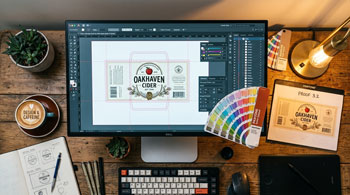
The fastest way to get your labels printed — and avoid delays — is to submit print-ready artwork. “Print-ready” means your file is set up correctly for production with no adjustments needed. If your file isn’t print-ready, your printer has to pause, contact you, wait for revisions, and reprocess — adding days to your timeline.
Resolution: 300 DPI Minimum
Label artwork should be designed at 300 DPI (dots per inch) at the actual print size. Images pulled from websites are typically 72 DPI and will print blurry and pixelated. If you zoom in on your artwork on screen and it looks soft or blocky, it’s probably too low-resolution for print.
Color Mode: CMYK, Not RGB
Screens display color in RGB (red, green, blue). Printers use CMYK (cyan, magenta, yellow, black). If you design in RGB and don’t convert to CMYK before submitting, your colors will shift during printing — often appearing duller or different than expected. Always design in CMYK from the start, or convert your final file before submission.
Bleed: Extend Your Design Beyond the Cut Line
Bleed is the extra area of your design that extends beyond the final cut edge of the label. It ensures that if the die shifts slightly during cutting, you don’t end up with an unprinted white strip along the edge. A standard bleed is 1/16″ (0.0625″) on all sides. Extend any backgrounds, patterns, or images that reach the edge of the label into this bleed area.
Safe Zone: Keep Critical Content Inside
Just as bleed extends outward, a safe zone keeps important content — text, logos, barcodes — away from the cut edge. Keep all critical elements at least 1/16″ inside the final cut line to prevent them from being trimmed during production.
File Formats
The preferred file format for label printing is a high-resolution PDF with fonts outlined (converted to vector paths). Adobe Illustrator (.ai) and EPS files are also widely accepted. Avoid submitting Word documents, PowerPoint files, or low-resolution JPEGs — these are not suitable for professional label printing.
For detailed specifications, visit our artwork specifications page, or contact us if you need help preparing your files.
